

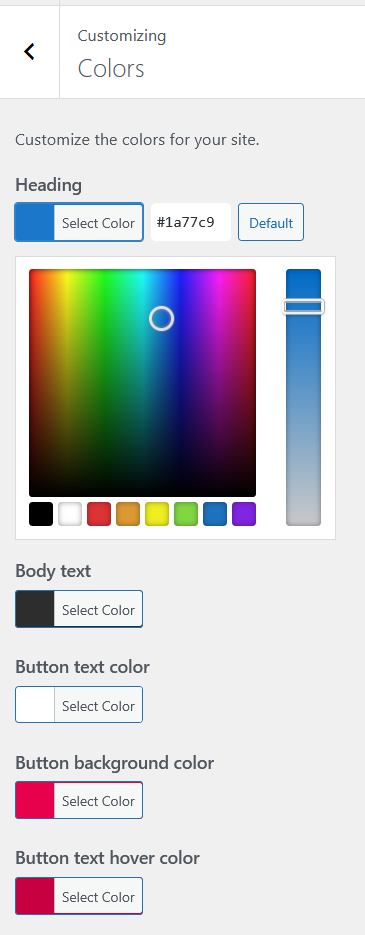
Aurora gives you full control over every color used across the theme. All values are set from the Customizer, output as CSS custom properties, and apply in real time across every layout. This page documents every color setting and what it affects.
How Aurora’s Color System Works
Every color you set in the Customizer is stored as a theme mod and output as a CSS custom property in the page <head>. Templates never hardcode colors. They inherit from these variables. This means changing a single color value updates every element that uses it across the entire site instantly.
Typography Colors
| Setting | What It Controls |
|---|---|
| Heading Color | All heading elements (H1–H6) across posts, pages, archives, and the homepage |
| Body Text Color | All paragraph text, list items, and general body copy |
| Link Color | All hyperlinks in post content and theme UI elements |
| Link Hover Color | Link color when hovered |
Button Colors
| Setting | What It Controls |
|---|---|
| Button Background Color | Background of CTA buttons, read-more links, share buttons, and the Load More button |
| Button Text Color | Text color on all buttons |
| Button Hover Background | Background color when a button is hovered |
| Button Hover Text Color | Text color when a button is hovered |
Header Colors
| Setting | What It Controls |
|---|---|
| Top Bar Background | Background of the secondary top bar on Apex and Detailed headers |
| Header Background Color | Background of the main header bar. Also used for Overlay’s top bar and Thin and Upright’s side panel |
| Menu Text Color | Default color of primary navigation items |
| Menu Hover Color | Navigation item color on hover |
| Menu Active Color | Color of the currently active navigation item |
| Header Icon Color | Color of the search icon, social icons, and hamburger icon in the header |
Footer Colors
| Setting | What It Controls |
|---|---|
| Footer Background Color | Background of the main footer area |
| Footer Text Color | Body text in the footer: bio, column titles, copyright |
| Footer Link Color | Color of links in footer navigation menus |
Site Colors
| Setting | What It Controls |
|---|---|
| Sidebar Background Color | Background of the sidebar area on posts and archives that have a sidebar enabled |
| Site Background Color | The page canvas background, visible outside the content container on very wide screens |
Applying Colors
All color changes preview live in the Customizer. You do not need to publish after each change. Adjust all your colors and click Publish once when satisfied.
Colors apply to every layout automatically. Switching from one header or archive layout to another never resets your color settings.
For step-by-step instructions on specific areas, see header and footer colors and dark color scheme.
All color settings can be overridden at a granular level using Aurora’s CSS variables in your child theme or Additional CSS.